Installations / EZ-GO TXT
EZ-GO TXT lithium install guide
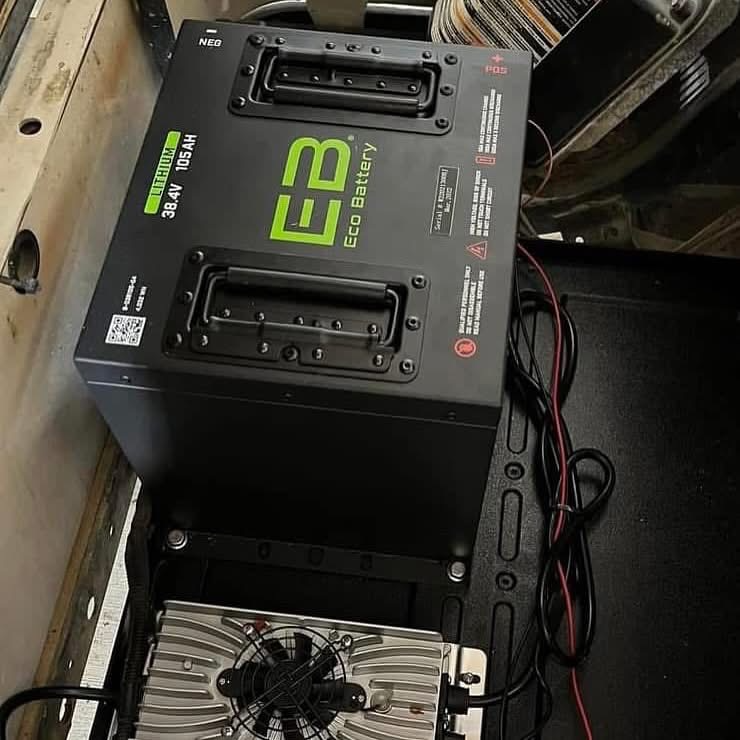
How to install a 36V 105Ah EcoBattery lithium kit in your EZ-GO TXT. Drop-in fit — no modifications required.
Installation steps
Disconnect and remove old batteries
Disconnect the negative terminal first. Remove all six 6V lead-acid batteries from the compartment.
Clean the battery compartment
Remove any acid residue or corrosion. A clean compartment protects the new lithium pack.
Install the lithium pack
Lower the 36V EcoBattery kit into the compartment. No modifications needed — it is engineered for a drop-in fit.
Connect the wiring harness
Plug in the included wiring harness following the diagram in your kit. Positive first, then negative.
Check the charger compatibility
EZ-GO carts require a lithium-compatible charger. Confirm your charger supports LiFePO4 before charging.
Power on and verify
Turn on the cart, check the battery indicator, and take a short test drive to confirm everything is working.